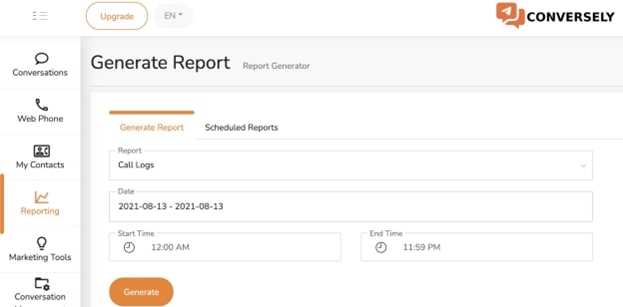
You can generate reports to gain more insights about calls. There are three kinds of reports that can be generated for your use. In addition to generating report immediately, you can also view scheduled report.
Procedure
- Click on Reporting
- Go to Generate Report tab
- Select the kind of Report from the drop-down list
- Select a date range from the Date field
- Enter the period for the report in the Start Time and End Time
- Click on Generate